
Automation tools have become a core part of modern workflows, especially for teams dealing with repetitive tasks, integrations, and data movement. Among the many options available today, N8N has carved out a distinct identity. It positions itself as a powerful, flexible, and open-source automation platform—often compared with tools like Zapier and Make, but built for a very different audience.
In this N8N review, we’ll take a practical look at what the platform offers, where it excels, where it falls short, and who it truly makes sense for in 2026.
What Is N8N?
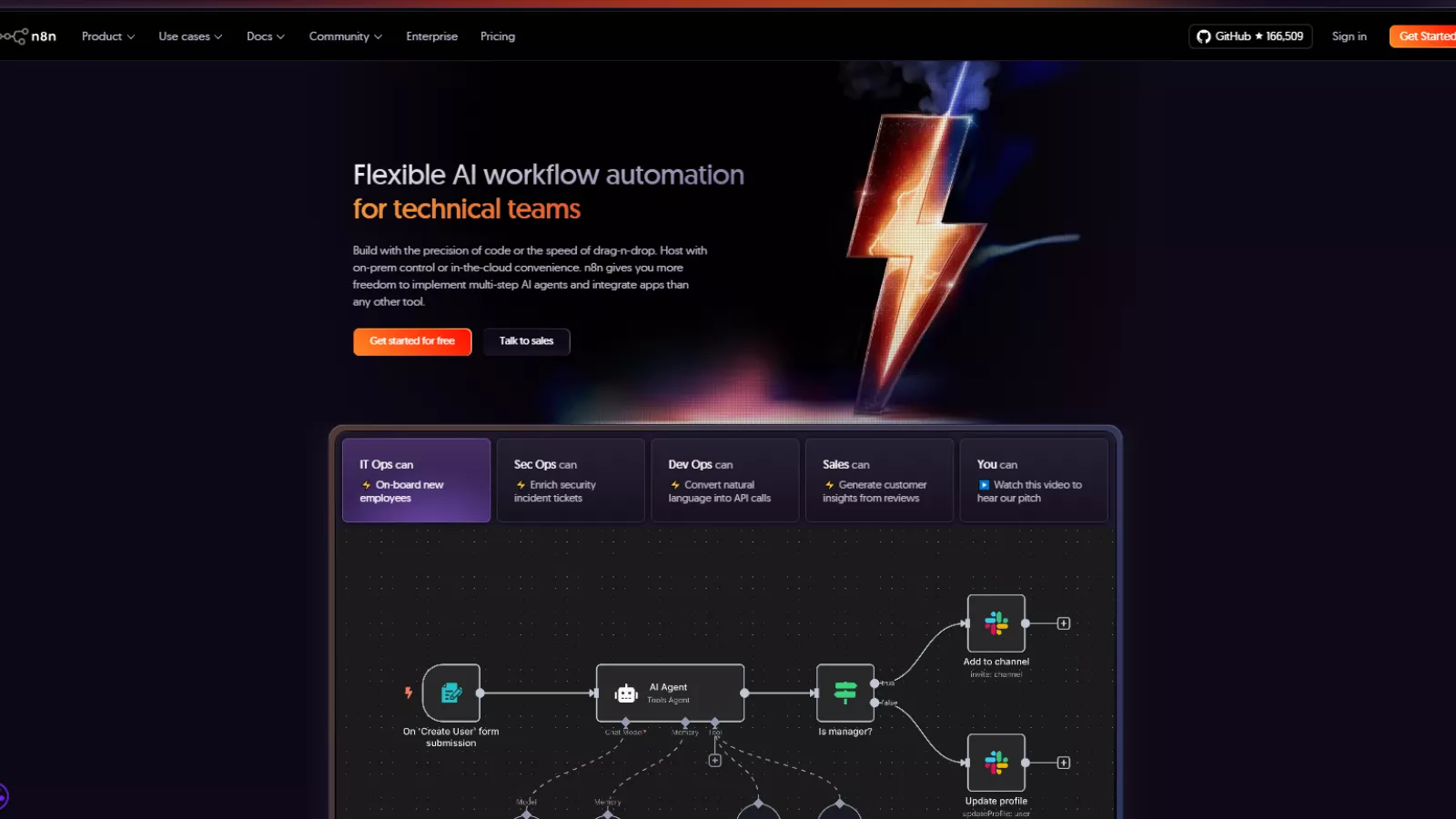 N8N is a workflow automation platform that allows users to connect apps, APIs, and services using a visual, node-based editor. Unlike many automation tools that are strictly cloud-based, N8N offers both cloud hosting and self-hosting, giving users far more control over their data and infrastructure.
At its core, N8N is designed for flexibility. You build workflows by connecting nodes, defining logic, passing data between steps, and optionally adding custom code. This makes it capable of handling everything from simple automations to highly complex, multi-step workflows involving AI models, databases, and custom APIs.
Workflow Builder: Flexible but Not Simplistic
One of N8N’s strongest points is its workflow editor. The interface is clean, visual, and logically structured. Each workflow is built from nodes that represent actions, triggers, or logic steps.
Where N8N stands out is in what it allows you to do:
- Branching and merging data paths
- Looping over datasets
- Long wait times and scheduled executions
- Complex conditional logic
- Manual control over data structure
This level of freedom is something many automation tools restrict. However, that flexibility comes with responsibility. While the interface is visual, the thinking behind it is still technical. Users need to understand how data flows between steps and how APIs behave.
This is not a “set it and forget it” tool for beginners.
N8N Workflows Library: Helpful, Not Plug-and-Play
N8N provides a public workflows library containing thousands of automation templates. These workflows cover categories like:
- Marketing automation
- CRM operations
- AI workflows
- Data syncs
- DevOps and internal tools
From a reviewer’s perspective, the workflow library works best as:
- A learning resource
- A starting blueprint
- A way to understand how others structure automation
What it’s not:
- A one-click solution for non-technical users
Most workflows require adjustments—credentials need configuration, data structures often need changes, and some templates assume prior experience with APIs or expressions. The library reduces setup time, but it does not eliminate the learning curve.
AI Integrations and Advanced Use Cases
N8N has invested heavily in AI integrations, making it appealing for teams experimenting with intelligent automation. Users can connect OpenAI and other AI services directly into workflows for tasks like:
- Content generation
- Image analysis
- Data summarization
- AI-powered decision logic
What makes this useful is the ability to embed AI into larger systems rather than using it in isolation. However, these workflows are better suited to users who understand prompts, data formatting, and error handling.
For casual users expecting AI automation to “just work,” N8N may feel demanding.
Developer-Friendly by Design
This is where N8N truly separates itself from competitors.
For users comfortable with code, N8N allows:
- Custom JavaScript and Python inside workflows
- Custom node creation
- Full API access
- Deep integration with internal systems
This makes it an excellent fit for:
- Developers
- Technical operations teams
- Startups building internal automation
- Businesses with strict data control requirements
It also explains why N8N isn’t always beginner-friendly. The platform assumes users are willing to think logically and occasionally get technical.
Also Read
Zapier Review | Best Workflow Automation Software
Learning Curve and Usability
The biggest challenge highlighted in nearly every N8N software review is the learning curve.
While the UI is intuitive, the concepts are not always obvious to first-time users. Non-technical teams may struggle with:
- Data mapping
- Expressions
- API authentication
- Debugging failed workflows
Documentation exists and is detailed, but users often need time and patience to become productive. Compared to tools like Zapier, N8N expects users to understand why something works, not just click through prompts.
Integrations: Growing, But Not Universal
N8N supports over 1,000 integrations, and the list continues to grow. However, some popular SaaS tools still require manual API setup.
This isn’t necessarily a drawback—it’s a trade-off. N8N prioritizes flexibility over pre-built simplicity. If an app isn’t natively supported, you can still connect it via API, provided you know how.
For teams that rely on niche or internal tools, this approach is actually a strength.
N8N Pricing: Fair For The Power It Offers
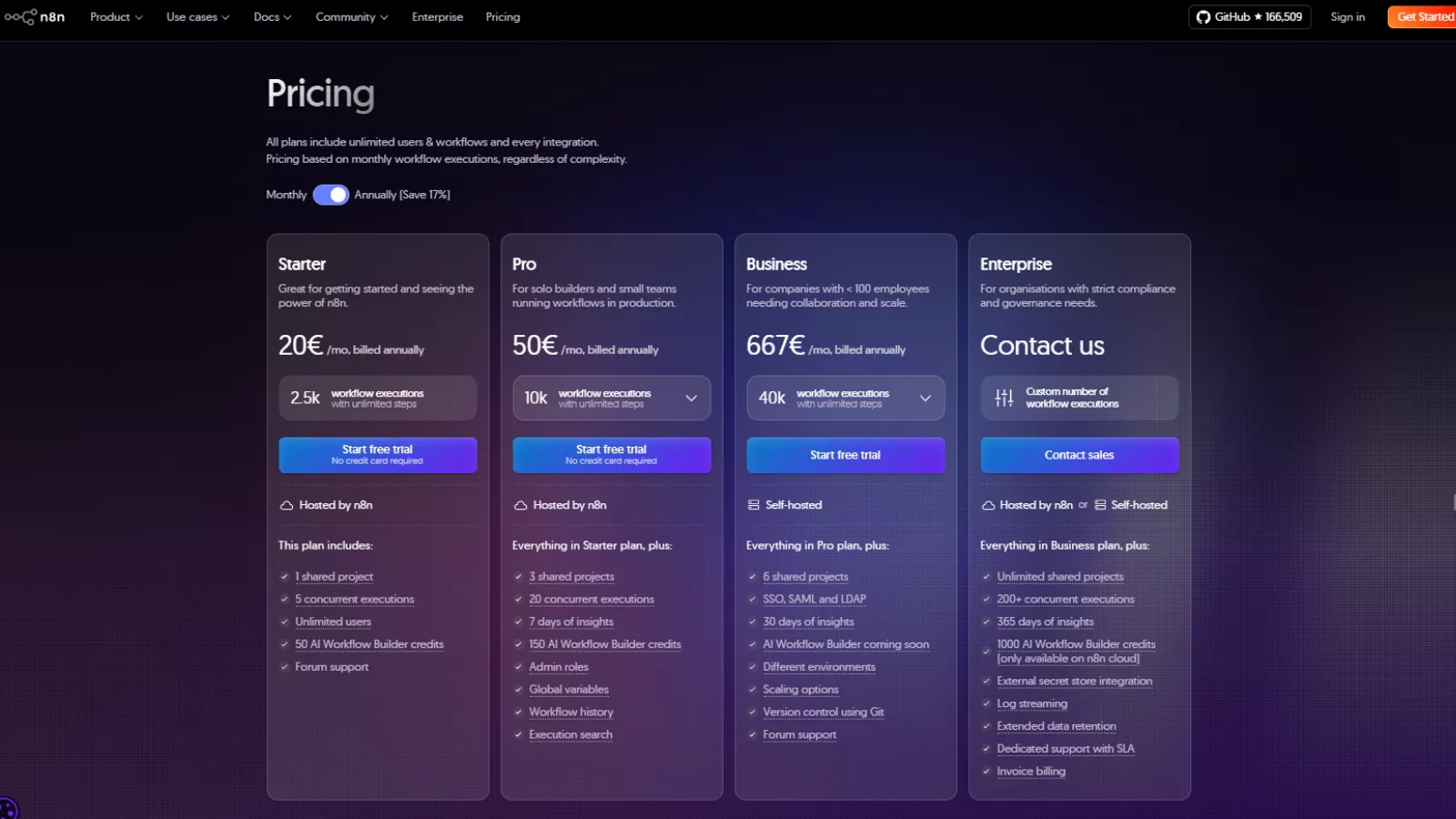
N8N’s pricing structure is straightforward and execution-based, which makes it easier to predict costs compared to task-heavy automation tools. All plans are billed annually and include unlimited users, workflows, and integrations, with pricing determined solely by monthly workflow executions.
The Starter plan, priced at €20 per month (billed annually), is suitable for individuals testing N8N in real workflows, offering 2,500 executions with unlimited steps. The Pro plan, at €50 per month (billed annually), increases the limit to 10,000 executions and adds features like admin roles, workflow history, and global variables, making it more practical for small teams running production automations.
For growing companies, the Business plan costs €667 per month (billed annually) and includes 40,000 executions, SSO support, multiple environments, and scaling options. The Enterprise plan follows custom annual pricing, designed for organizations needing advanced compliance, governance, and dedicated support.
Overall, N8N’s annual pricing favors technical teams that value flexibility and predictable execution limits over per-task billing models.
N8N Alternatives: How It Compares
When evaluating an N8N alternative, the most common comparisons are Zapier and Make.
- Zapier is easier for beginners but restrictive for complex logic
- Make offers more flexibility than Zapier but still abstracts much of the logic
If simplicity is the priority, N8N may not be the right choice. If flexibility and ownership matter, it’s one of the strongest options available.
Who Should Use N8N?
N8N is best suited for:
- Developers and technical users
- Teams needing complex logic and data control
- Businesses with privacy or compliance requirements
- AI-driven automation builders
It may not be ideal for:
- Non-technical teams seeking quick automation
- Users wanting fully guided setup
- Businesses that prefer minimal configuration
Final Verdict: Is N8N Worth It?
This N8N review makes one thing clear: N8N is not trying to be the easiest automation tool on the market—and that’s intentional.
It’s a platform built for users who value control, flexibility, and extensibility over convenience. While the learning curve can feel steep at first, the payoff is significant for those willing to invest time.
If you want simple automation with minimal setup, other tools may suit you better. But if you’re building serious workflows, handling sensitive data, or integrating AI into complex systems, N8N remains one of the most capable automation platforms available today.